
SSO ID Register: To access various government schemes and online services in Rajasthan, users can register through the Rajasthan SSO Portal. The platform provides a centralized way to access multiple government applications and services, making it easier to complete different tasks online.
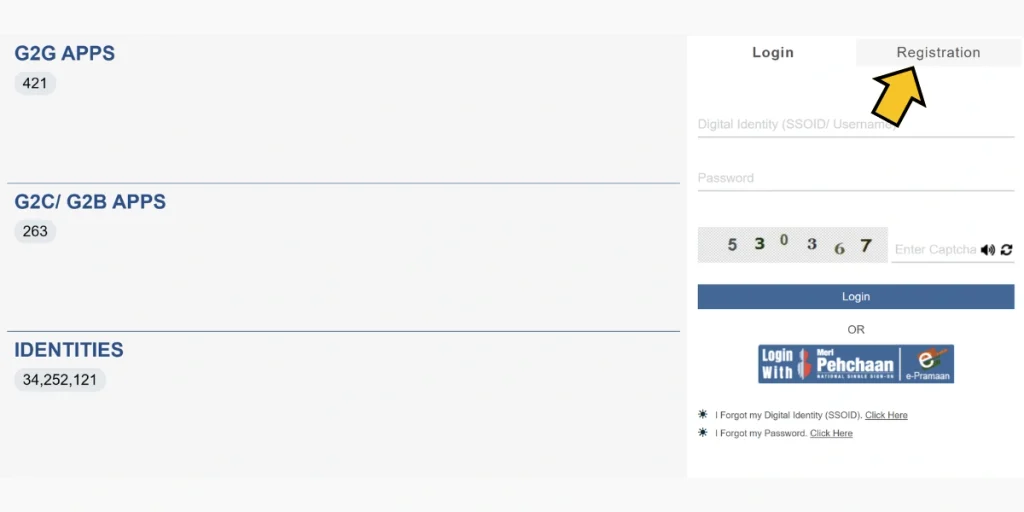
To use the services available through the portal, you need an active SSO ID. If you do not have an SSO account yet, you can create one by completing the online SSO Register process. Follow the steps below to complete your registration:
General Overview of SSO ID Register
1. SSO ID Register for Citizens
- Visit the Rajasthan SSO Portal: Open the official Rajasthan SSO website in your browser.
- Select “Citizen” Registration: Choose the Citizen option to start the registration process.
- Enter Required Details: Provide the personal information requested on the registration page, such as your name, mobile number, and other applicable details.
- Create a Secure Password: Set a strong password that can be used to access your SSO account securely.
- Verify Your Mobile Number: If mobile verification is required, an OTP will be sent to your registered mobile number. Enter the OTP to complete the verification.
- Complete Registration: Follow the instructions displayed on the screen and submit the required information to finish creating your SSO ID.
2. SSO ID Register for Udyog (Businesses)
- Visit the Rajasthan SSO Portal: Open the official SSO website and access the registration section.
- Select “Udyog” Registration: Choose the Udyog or business-related registration option available on the portal.
- Enter Business Details: Provide the business information requested by the portal, which may include the business name, registration details, and other applicable information.
- Create a Secure Password: Set a strong password for your business SSO account and keep your login credentials secure.
- Verify Business Information: If required, provide the relevant information or documents to complete business verification.
- Complete Registration: Follow the on-screen instructions and submit the required details to complete the SSO ID registration.
3. SSO ID Register for Government Employees
- Visit the Rajasthan SSO Portal: Open the official Rajasthan SSO website and go to the registration or login section.
- Select “Government Employee” Registration: Choose the appropriate option for government employees to continue.
- Enter Employee Details: Provide the information requested by the portal, such as employee ID, department details, and other applicable information.
- Create a Secure Password: Set a strong password to help keep your SSO account protected.
- Verify Employment Details: Complete any required verification using the employment information or official records requested by the portal.
- Complete Registration: Follow the instructions displayed on the screen and complete the registration process.